Think a VPN only hides your IP? Try these features first



Most people know that a virtual private network (VPN) hides your IP address. Many people set one up, perhaps use it once to watch something abroad, and then forget it exists. That's a bit like buying a Swiss Army knife and only ever using it to open letters.
Few realize what a VPN actually unlocks or explore the features designed to make everyday browsing more private, secure, and convenient.
If your VPN has mostly been running quietly in the background, now's a good time to see what else it can do.
How to get more out of your VPN
The easiest way to understand a VPN is not by listing features, but by looking at the problems it can help solve. Here are the everyday situations where your VPN can be more useful than you think.
| Everyday problem | ExpressVPN feature to try | Why it's worth trying |
| Your usual shows or sports aren't available while traveling | VPN server locations in 113 countries | Connect to a server in your home country to stay connected to your usual services |
| Prices seem to change based on where you're browsing from | Switch between VPN server locations | Compare prices from different regions before making online purchases |
| Ads follow you from site to site | VPN masking, Threat Manager, and ad blocking | Reduce IP-based tracking, block trackers, and cut down on creepy retargeting |
| Public Wi-Fi feels convenient but risky for banking, shopping, or working remotely | Encrypted VPN connection | Help protect your traffic from interception on café, hotel, airport, or shopping center Wi-Fi |
| You reuse passwords or pick weak ones because remembering unique and strong ones is a pain | ExpressKeys password manager | Generate, store, and autofill strong, unique passwords in seconds |
"Wait, why can't I watch the game?"
Travel comes with unexpected internet frustrations. You're abroad, you open your usual streaming app, and you're greeted with a message cheerfully telling you the content isn't available where you are. Infuriating, especially mid-series or halfway through the football season.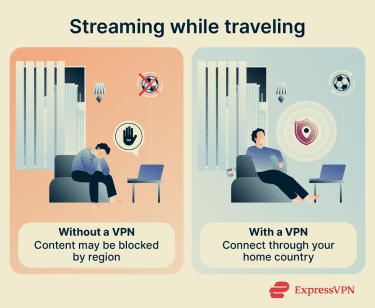
Streaming platforms operate under regional licensing agreements, which means content available at home might not work the same way when you travel. Connecting to a VPN server in your home country can help you stay connected to your usual services while you're away.
Keep in mind, though, that some services apply their own location restrictions, regardless of whether you're using a VPN. Always check that your use complies with the streaming platform's terms of service.
ExpressVPN offers server locations in 113 countries, making it easy to connect to a location that suits your needs.
"What do you mean I pay more based on where I live?"
It sounds a bit conspiratorial until you look into it. Online retailers and booking platforms can use your IP address to estimate your location and adjust prices accordingly. Someone browsing from a different region could see different prices on the exact same product or flight.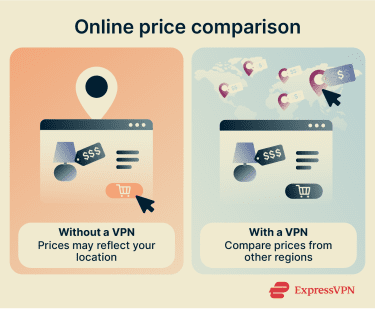
Connecting to VPN servers in different regions lets you compare what prices look like elsewhere before committing. It doesn't guarantee a discount every time (pricing is influenced by a lot of factors), but it takes about 30 seconds to check and has been known to make a noticeable difference.
Switching between ExpressVPN server locations takes just a few clicks, making it easy to compare prices from different regions.
"Why does my internet slow down the moment I start gaming?"
It may be because internet service providers (ISPs) can see what you're doing, and some providers throttle certain types of traffic (gaming, streaming, and downloading are the usual suspects), often during peak hours when the network is under strain.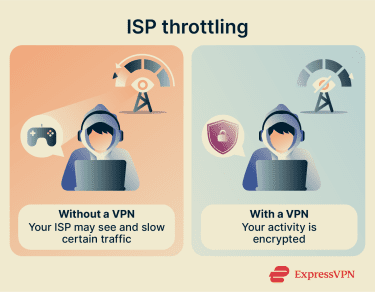
A VPN encrypts your traffic so your ISP can't see the websites or services you're using, which removes the trigger for content-based throttling. It won't conjure extra bandwidth from thin air, but if slowdowns tend to happen at predictable times or during specific activities, it's worth trying.
ExpressVPN uses high-speed VPN protocols, including its own Lightway protocol, designed to minimize the impact on your connection while keeping your traffic private.
"Why is my messaging app suddenly forbidden?"
You land somewhere new, try to message someone, and the app either refuses to open or throws up an "unavailable in the current region" error. It's not a bug, and it's not your phone.
This happens more than some people expect. On some networks, such as those at schools, workplaces, or on public Wi-Fi with strict filtering, messaging and social media apps may be blocked by default.
A VPN may help restore access, depending on local restrictions and the service involved.
With apps available across major devices, ExpressVPN makes it easy to stay connected when traveling.
"This ad is stalking me"
You spend 45 seconds looking at a pair of trainers, and somehow every website you visit for the next week is trying to sell you footwear. Your IP address is one of the signals advertisers use to track you across the web and build a profile of your interests, location, and habits. It's like a description of your online identity.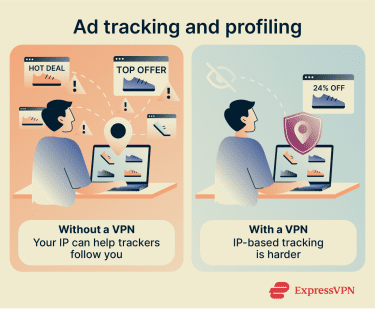
A VPN masks your real IP address, making that kind of tracking significantly harder. Pair it with ExpressVPN's built-in ad blocker (available on the Advanced and Express Pro plans), and you're actively cutting off multiple data streams these companies rely on. The ads won't disappear entirely, but they stop feeling quite so surveillance-like.
"I'd rather not announce my downloads to strangers"
With peer-to-peer (P2P) file sharing, everyone in the download pool can see your IP address, which is more information than most people are comfortable sharing with a room full of strangers. On top of that, some ISPs throttle P2P traffic the moment they detect it.
A VPN solves both: it hides your real IP from other peers and encrypts your traffic so your ISP can't tell you're downloading large files.
A word of advice: this applies to legal downloads. A VPN doesn't make anything illegal suddenly legal.
"That café Wi-Fi can do what?"
Public Wi-Fi, often available for free in airport lounges, hotels, cafés, and shopping centers, is one of those things that feels fine until it isn't.
Nearly 4 in 10 U.S. adults reported experiencing some type of attack while using public Wi-Fi, according to a 2024 study. Unsecured networks can be exploited by anyone else on the same connection, and in some cases, attackers set up fake networks (convincing copies of the real one) specifically to intercept traffic and read your data.
ExpressVPN encrypts the connection between your device and the VPN server, so traffic is unreadable in transit.
If you regularly work, shop, bank, or sign into accounts while away from home, this alone might be worth keeping a VPN installed.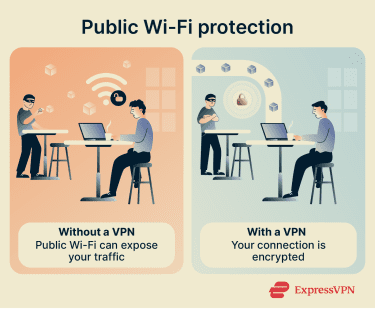
"Someone can really knock me offline?"
For most people, a distributed-denial-of-service (DDoS) attack is relatively uncommon. But if you're a streamer with a large audience, game competitively, or have any kind of significant online presence, your IP address can become a target for someone determined enough to ruin your day.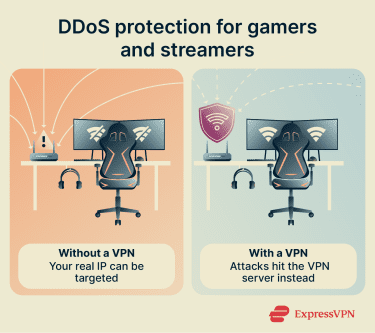
A DDoS attack floods your IP with traffic until your connection buckles. A VPN replaces your real IP with the server's IP, so any attack hits the VPN's infrastructure instead of your home connection (and its servers are considerably better equipped to absorb it).
This is one reason many gamers and streamers choose to use a VPN while they're online.
"What if I accidentally expose something from work?"
Working from a hotel, a café, or even a home network means operating without the security infrastructure a corporate network usually provides. That creates real exposure: intercepted credentials, leaked documents, or a compromised device are all more likely outside a controlled environment.
According to the Ponemon Institute, a research center focused on privacy, data protection, and information security, insider security incidents now cost organizations an average of $17.4 million per year. Its 2025 Cost of Insider Risks research found that negligent employees remain the most common source of insider incidents, with shadow IT and personal devices among the leading risk factors.
ExpressVPN encrypts your connection, blocks potentially malicious sites and trackers, and, on Advanced and Express Pro plans, includes ExpressKeys for secure password management, which removes one of the most common vulnerabilities.
"VPN + Tor = 2x privacy?"
If you use Tor, you probably already care more about privacy than the average internet user. But there's one thing that's easy to miss: your ISP may still be able to see that you're connecting to the Tor network, even if it can't see what you're doing there.
That may not bother everyone. But if you're using Tor because you want more privacy, it's worth knowing that Tor use itself can still stand out to your ISP, school, workplace, or local network admin.
Using a VPN before connecting to Tor can hide Tor usage from your ISP. It can also help on networks that block Tor connections.
What else can ExpressVPN do?
The VPN is the foundation, but there's more built on top of it depending on your plan.
Say goodbye to trackers, ads, and harmful sites
Many online threats begin with a single click.
Every ExpressVPN subscription includes Threat Manager, which blocks malicious sites and trackers, while the Advanced Protection Suite, available on Advanced and Express Pro plans, also blocks ads and adult content at the Domain Name System (DNS) level, meaning the request is stopped even before the browser loads the domain.
No security tool can stop every threat, but it's a meaningful layer of protection, especially against phishing and drive-by malware.
One password to rule them all?
Most people know they shouldn't reuse passwords. One data breach could trigger a chain reaction and expose multiple accounts. However, many still do because creating and remembering a different one for every site is just too much like hard work.
That's where a password manager helps. ExpressKeys (included with Advanced and Express Pro plans) generates unique passwords for every account, stores them securely, autofills them when needed, and flags anything weak or reused.
Instead of remembering dozens of passwords, you only need to remember one. If you're still using the same password across multiple accounts, this is the nudge to stop.
No more fearing identity theft
Identity theft involves stolen personal information that attackers can then use to open new credit cards in your name, take out bank loans, or make unauthorized purchases. Identity theft isn't just a financial headache; it can take months to untangle.
ExpressVPN's Identity Defender (available to U.S. Advanced and Express Pro users) monitors data brokers, dark web activity, and public records for signs that your information is being misused and offers coverage for eligible losses in identity theft cases.
Five things to try this week
If you're deciding whether your VPN is worth keeping, try using it in a few new situations:
- Connect while using public Wi-Fi.
- Turn on ad and tracker blocking.
- Use it while gaming during peak hours.
- Use the VPN while traveling to access your favorite shows.
- Check prices from another location.
You just might discover a feature that you didn't know you needed!
FAQ
Is a VPN really necessary?
What are the risks of not using a VPN?
Is a VPN worth it for the average person?